An old PC can become a useful home or small-business server for file storage, backups, internal tools and other everyday tasks. Instead of paying for several separate services—or buying new hardware straight away—you may be able to reuse equipment you already own and keep more control over your data.
But a low purchase price does not automatically mean lower costs. Electricity use, maintenance, security and downtime all affect the real value of a server. At Best Choice, we help businesses weigh those factors and build practical IT solutions that fit their workflows, whether that means reusing hardware, connecting systems or choosing a cloud-based approach.
1. What can an old PC server do?
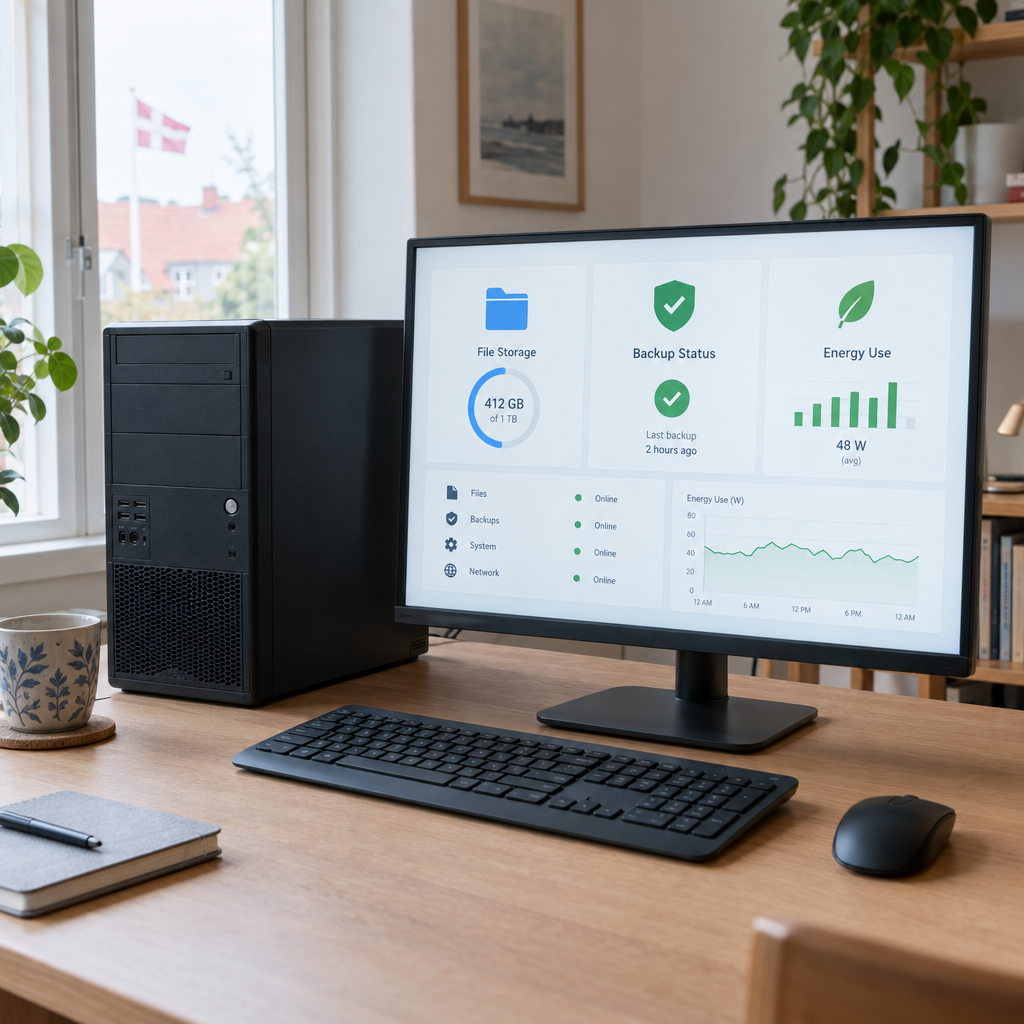
A server is simply a computer that provides services to other devices. Depending on its capacity and setup, an old PC could store shared files, run a local backup system, host an internal website or support software for your team.
For example, a small online shop might use a server to organise product images and reports, while a café could use one for internal documents and scheduled backups. A booking business might run a lightweight internal tool that helps staff manage information without moving files between personal computers.
These tasks do not always require powerful hardware. The right choice depends on how many people will use the system, how much data it handles and whether it needs to be available around the clock.
2. Where the savings can come from
Reusing a PC may reduce upfront hardware costs and help you avoid paying for features you do not need. A local server can also bring files and workflows together, reducing time spent searching through email attachments or managing several disconnected tools.
For a small warehouse, for instance, a shared system could make stock documents available to authorised staff from one place. With suitable automation, a routine task—such as creating a daily report—could happen without someone copying data by hand. Those time savings may matter more than the cost of the hardware itself.
However, a local server does not automatically replace every subscription or service. Some online platforms provide support, remote access and maintenance that would otherwise become your responsibility. Compare the complete costs and capabilities before cancelling anything.
3. Calculate the true cost, including electricity
A server that runs 24 hours a day consumes power continuously. As a rough example, a device averaging 50 watts uses about 438 kWh per year: 0.05 kW × 24 hours × 365 days. Multiply that figure by your electricity rate to estimate its annual energy cost; actual use will vary with the hardware and workload.
Include other expenses too: a replacement drive, a UPS to protect against short power interruptions, cooling, internet service and the time needed to maintain the system. Older computers can use more power than newer, lower-energy equipment, so measuring consumption with a plug-in meter can help you make an informed decision.
In Denmark and elsewhere in Europe, energy prices and business requirements vary. We recommend estimating costs with your own electricity rate and comparing the result with suitable hosting or cloud options—not relying on a general rule of thumb.
4. Make security and backups part of the plan
A server connected to the internet needs regular updates, strong passwords, restricted user access and a clear approach to remote connections. Avoid exposing services publicly unless they are configured and maintained securely. If the server stores customer or employee information, consider GDPR responsibilities, access controls and how long data should be kept.
Backups are essential. Keep at least one backup separate from the server, and test restoring files so you know the process works. A mirrored drive may help if one drive fails, but it is not a substitute for a separate backup: accidental deletion or malware can affect both copies.
Open-source tools such as Proxmox, TrueNAS, Ubuntu Server and Nextcloud are used by organisations across Denmark and Europe. They can be cost-effective and flexible, but they still require thoughtful setup, updates and ongoing administration.
5. Connect the server to real business workflows
The greatest value often comes from making the server work with the way your business already operates. A clinic, for example, may need secure access to internal documents, while a booking service may need information to flow between its booking system and reporting tools. A warehouse may benefit from connecting stock data with order processing.
At Best Choice, we can assess your existing equipment and design a tailored solution around your processes. That may include configuring local storage, automating repetitive tasks, integrating databases or APIs, and helping staff access the right information. The goal is not to add technology for its own sake, but to reduce manual work and make daily operations more reliable.
6. Know when DIY is—and is not—the right choice
A home server or reused PC can be a sensible option for learning, non-critical storage or a small internal workload. It may be less suitable if your business depends on high availability, needs reliable access from multiple locations, or lacks the time and skills to maintain and secure the equipment.
Before you decide, list what the server must do, who needs access, how quickly you need to recover from a failure and who will handle updates. Compare the total cost of ownership with managed hosting or cloud services. We can help you choose a setup that balances price, security and reliability—and connect it to your existing business systems where appropriate.
Conclusion
Reusing an old PC can save money, but only when its energy use, maintenance and security needs make sense for the job. Start with a clear business need, calculate the full cost and plan backups before putting important data on the server.
If you are considering a low-cost server or want to automate and connect your business systems, contact Best Choice. We can help you find a practical solution that supports your business today and can grow with it.