How to Know if an AirTag is Tracking You
In our increasingly connected world, technology is designed to make our lives easier, but it can also raise valid concerns about privacy and security. One such innovation is Apple’s AirTag, a small Bluetooth tracker aimed at helping individuals keep track of their personal belongings such as keys, bags, and luggage. However, the very features that make AirTags so convenient have also led to questions about unwanted tracking. As business decision-makers and entrepreneurs, understanding how to recognize and respond to potential tracking can be crucial for maintaining privacy and peace of mind.
At Best Choice, we believe it’s essential for everyone, whether a tech enthusiast or not, to grasp how these devices function and what safeguards are in place to prevent misuse. In this guide, I’ll walk you through how AirTag tracking alerts work and what steps you can take if you suspect an unwanted tracker is monitoring your movements.
How AirTag Tracking Alerts Work
To combat potential privacy issues, Apple has incorporated features into the AirTag and its Find My network to ensure unauthorized tracking is reported. The Find My network leverages Bluetooth signals from various devices, allowing them to update their location continuously. If an AirTag or compatible tracker finds itself separated from its owner and begins moving alongside you, your device is programmed to display alerts.
These notifications are designed not only to inform you but also to deter unauthorized tracking. Apple has gone a step further by collaborating with Google to create a cross-platform industry standard. This means alerts for unknown devices can be received on both iOS and Android devices, enhancing awareness for all users.
Ensuring Tracking Alerts are Enabled on Your iPhone
If you own an iPhone or iPad, the good news is that tracking notifications are typically enabled by default. However, it’s prudent to double-check the settings to ensure you’re fully protected. Here’s a simple checklist to confirm your tracking alerts are activated:
- Your device is updated to iOS 17.5 or later.
- Bluetooth is enabled.
- Location Services are turned on.
- Notifications for Tracking Alerts are allowed.
- Airplane Mode is off.
You can easily check and adjust these settings by navigating to Settings > Privacy & Security > Location Services and Notifications.
What Tracking Alerts Look Like
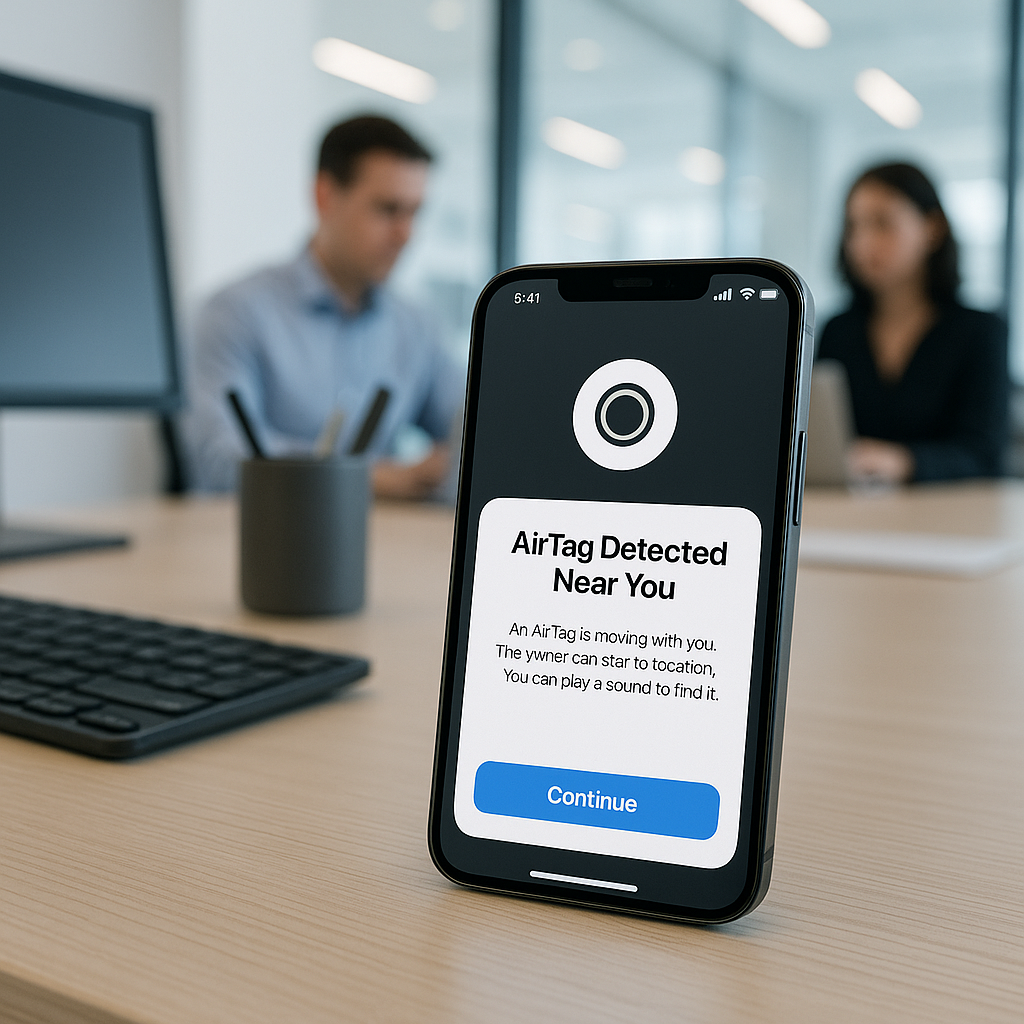
If an AirTag or other tracker begins moving with you, your iPhone will send a notification with messages such as “AirTag Found Moving With You” or “Unknown Accessory Detected”. Tapping on the alert takes you to the Find My app, showing a map indicating locations where the tracker was detected near you.
While these alerts might sound alarming, they don’t necessarily indicate malicious intent. For instance, you might be borrowing someone else’s AirPods or bag. If that’s the case, you can temporarily mute alerts for that item if it’s from someone in your Family Sharing Group.
What to Do if You Hear an AirTag Making a Sound
One of the built-in safety features of the AirTag is its ability to emit a sound if it has been separated from its owner and is in motion. This serves as a clear signal that something may be amiss. If you display an unfamiliar chirping noise, perhaps from a jacket pocket or a handbag, it’s essential to investigate your belongings promptly.
How to Find an Unknown AirTag or Tracker
If you suspect an unwanted tracker is with you, the Find My app offers tools that can assist in locating it. Simply select the alert, choose “Play Sound,” and listen closely to identify the device’s exact location.
Moreover, if you possess a compatible iPhone, you might benefit from the “Find Nearby” option, which provides distance and directional cues to guide you closer to the unknown AirTag. This technology utilizes ultra-wideband technology for precision, ensuring you have the best chance of locating it efficiently.
How to Get Information About an AirTag
In scenarios where you identify an AirTag, you can learn more about it without needing to unlock it. By placing your NFC-capable smartphone near the AirTag’s white side, you can access a webpage containing critical information about the tracker, including the serial number and contact details, if the owner has marked it as lost. This insight may help you determine whether any obligations exist to report the device to law enforcement.
Conclusion: Stay Informed and Secure
With malicious tracking becoming a growing concern, knowing how to handle AirTags and similar Bluetooth tracking devices is vital. Apple has put considerable effort into creating multiple protective layers designed to minimize unwanted tracking incidents. By understanding tracking alerts and how to respond appropriately, you can empower yourself and others to maintain their privacy and security.
If you have any questions or need assistance with digital privacy solutions and tracking alerts, feel free to reach out to us at Best Choice. We’re here to help you navigate today’s digital landscape securely.