The Best Ergonomic Keyboards for 2026: A Comprehensive Guide
After countless hours of typing and clicking, it’s no surprise that many of us suffer from discomfort or pain in our wrists, hands, and shoulders. In today’s fast-paced business environment, where productivity is key, addressing ergonomic issues isn’t just about comfort – it’s about efficiency and well-being. At Best Choice, we understand the importance of creating a workspace that minimizes strain and maximizes performance, and an ergonomic keyboard can be a vital element in achieving that balance.
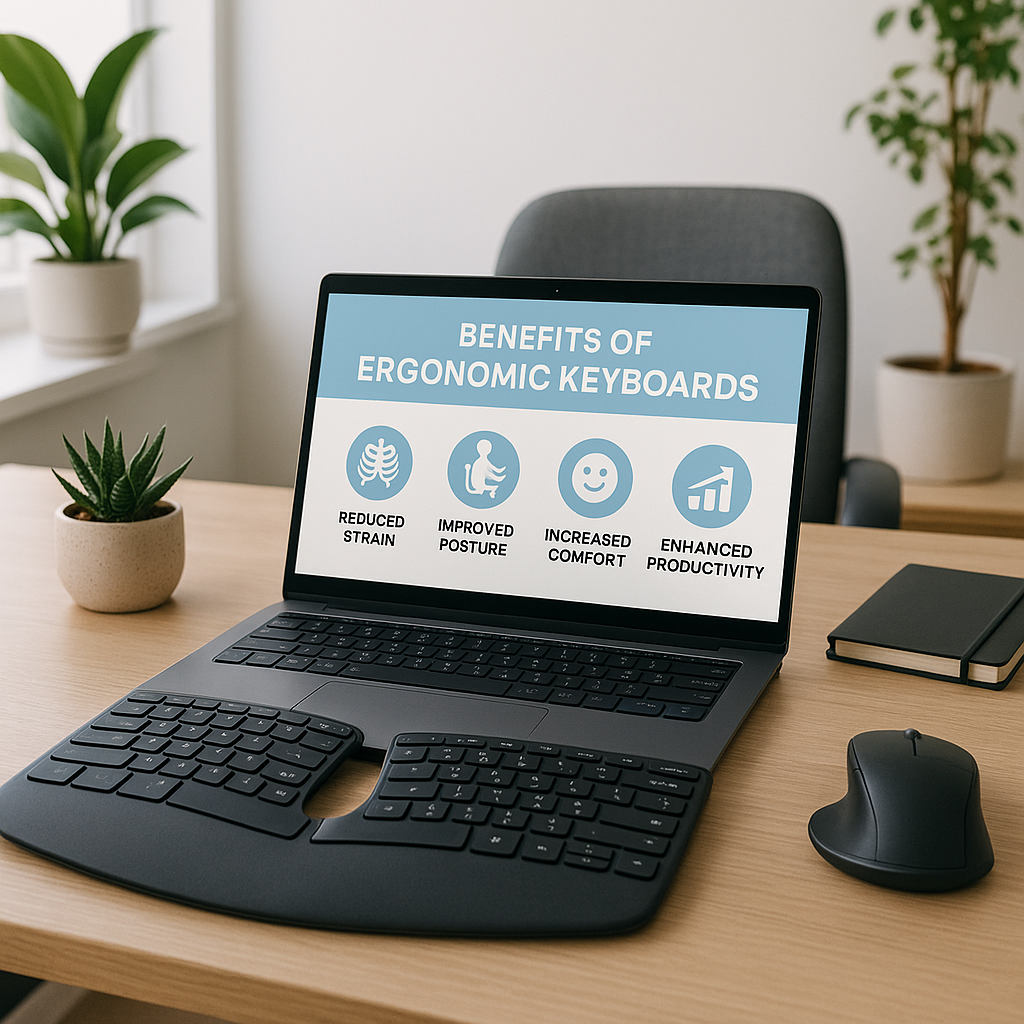
However, simply purchasing an ergonomic keyboard and expecting miracles isn’t the answer. While these keyboards are expertly designed to promote a natural hand position and reduce strain, we must also incorporate good habits: taking regular breaks, standing, stretching, and maintaining proper posture while working. In this guide, we’ll explore the best ergonomic keyboards for 2026, the features to look for when choosing one, and how selecting the right keyboard can not only improve your comfort but can also boost your productivity.
What to Look for in an Ergonomic Keyboard
When considering an ergonomic keyboard, it’s essential to understand how different features cater to various needs. Here’s what I found during my exploration of ergonomic keyboards:
Alice vs. Split Layouts
The two primary categories of ergonomic keyboards are the Alice layout (unibody) and the split design. The Alice layout rotates the halves of the keys about 30 degrees, promoting better alignment of your forearms and wrists. Conversely, split keyboards allow you to adjust the positions of the halves as per your comfort, reducing the distance of your mouse and minimizing strain on the shoulder and arm. I personally find the split layout invaluable, as it offers flexibility to place my mouse conveniently while creating space for snacks – a win-win!
Tenting and Negative Tilt
Tenting raises the center of the keyboard, aligning your hands in a more natural “handshake” position. With options like adjustable tenting, you can customize your setup to find what feels best for you. Negative tilt, on the other hand, slopes downward from the spacebar, which I find helpful when standing. It takes some experimentation to discover what angle works best for you, but finding that sweet spot can make a significant difference in reducing wrist strain.
Key Features: Tenkeyless, Programmable Keys, and More
Do you often dial numbers? If so, consider whether you need a keyboard with a numeric keypad. Tenkeyless boards keep your mouse nearby, limiting your reach and improving posture. Additionally, many modern ergonomic keyboards come with programmable keys to help increase efficiency for frequent tasks. As a small business owner, I’ve found these features invaluable for creating shortcuts, allowing for quick access to often-used applications or headers, enhancing productivity while decreasing the duration of repetitive tasks.
Material and Build Quality
The type of switches your keyboard uses (mechanical, membrane, or scissor-switch) can also impact comfort. Mechanical keyboards are popular for their tactile feedback and responsiveness, while membrane keyboards are generally softer and quieter. It comes down to preference, but considering how much time you spend typing, investing in a quality setup can pay off in comfort and durability.
Wired vs. Wireless
Choose between wired or wireless ergonomic keyboards based on your needs. Wired options generally come at a lower price point and offer zero-lag performance, which can be a crucial factor for gamers or those working in high-pressure environments. On the other hand, wireless models provide a clutter-free workspace but come with a reliance on battery power.
Real-World Applications: Ergonomic Keyboards in Action
Let me share some examples of how ergonomic keyboards can transform various work environments:
- Cafe Owner: A local cafe owner, committed to creating a welcoming environment, found herself cramped behind her POS system with a standard keyboard. After switching to an ergonomic model, her wrist and shoulder discomfort diminished significantly, allowing her to focus on engaging with customers more effectively.
- Warehouse Manager: A warehouse manager responsible for inventory and logistics opted for a split keyboard to improve efficiency. The separation allowed him to keep his mouse closer, significantly cutting down on time spent reaching across the desk. The result? Increased productivity and less strain, leading to improved morale in the workplace.
- Online Store Owner: An entrepreneur selling products online benefited from programmable keys on her ergonomic keyboard. This feature allowed her to set shortcuts for frequently accessed applications and webpages, enhancing her workflow during busy periods.
- Medical Clinic Receptionist: A receptionist in a busy clinic benefited from a keyboard that included palm support, allowing her to maintain a neutral position while managing patient appointments. Regularly using an ergonomic keyboard improved her comfort and overall work performance.
Conclusion
Investing in an ergonomic keyboard is a significant step in promoting a healthier work environment, improving productivity, and ultimately leading to a more enjoyable workday. While ergonomics are essential, remember that they are just one aspect of how we interact with our workspace. Integrating breaks, stretching, and maintaining good posture are also key components. At Best Choice, we’re dedicated to supporting your business through seamless work experiences. If you need assistance selecting the right ergonomic solution to enhance your workflow, don’t hesitate to reach out!