# How to Turn Your Old Hard Drives into a RAID Array
In today’s digital age, data storage is more important than ever, especially for businesses. As entrepreneurs and business decision-makers, you may find that your old hard drives are cluttering up the workspace and gathering dust. However, those drives still have life left in them, and instead of discarding them, you can turn them into a powerful RAID (Redundant Array of Inexpensive Disks) array. At Best Choice, we specialize in providing tailored IT solutions, and we’re here to show you how leveraging your existing hardware can solve storage issues, bolster data reliability, and enhance performance.
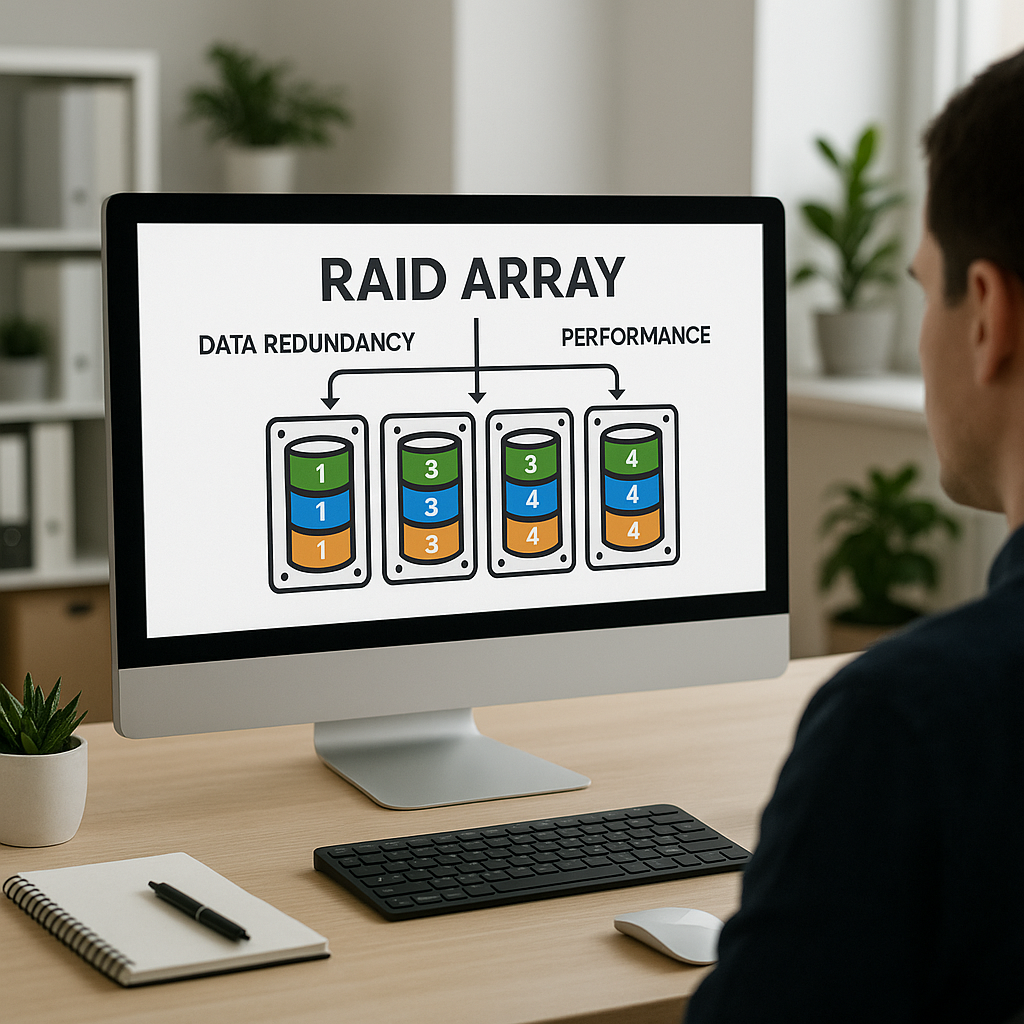
A RAID array combines multiple hard drives into a single unit, providing increased data redundancy, improved performance, or both. This is particularly beneficial for businesses handling sensitive client data, many transactions, or large files, such as a clinic managing patient records or a café processing customer orders. In this guide, I’ll walk you through the steps to create your own RAID array, explain its benefits, and offer valuable insights into making the most of your storage technology.
## Understanding RAID
To put it simply, RAID is a storage technology that combines multiple disk drives into a single unit for the purposes of redundancy and speed. Depending on your specific needs, there are several types of RAID configurations, including RAID 0, RAID 1, RAID 5, and RAID 10, each offering varying levels of fault tolerance and performance enhancement.
### Why Should You Consider a RAID Array?
1. **Data Redundancy**: One of the primary advantages of a RAID system is redundancy. This means that if one hard drive fails, data can still be recovered from another drive. For example, a medical clinic can’t afford to lose patient data, and RAID 1 is a popular choice for such scenarios because it mirrors the data across two drives, ensuring no single point of failure.
2. **Increased Performance**: RAID can significantly boost data read and write speeds, which is great for busy online stores where customers expect quick load times. For example, using RAID 0 allows you to strip data across multiple drives, effectively increasing the data processing speed.
3. **Cost-Effective**: Instead of investing in new hard drives, using your old hardware can save your business money. You already have these resources at your disposal; why not put them to use?
### Assessing Your Old Hard Drives
Before diving into the process of creating a RAID array, it’s essential to assess the HDDs you have. Consider the following:
– **Age and Health**: Check the age of each drive and run diagnostics to ensure they are in good working condition. Tools like CrystalDiskInfo can help monitor the health of your drives. It’s critical not to use any drives that are likely to fail soon.
– **Capacity**: While you may have various drives, their capacities should be taken into account. When creating a RAID array, the overall capacity is limited by the smallest drive in the array.
– **Type of Disks**: SATA drives are commonly used in RAID setups, though you can use SSDs for speed. However, using a mixture can lead to decreased performance.
### Setting Up Your RAID Array
Now that you’ve assessed your drives, it’s time for the setup process. Here’s a step-by-step approach:
1. **Choose Your RAID Level**: As mentioned earlier, deciding on RAID 0, RAID 1, RAID 5, or RAID 10 will depend on your business needs. If redundancy is your main concern, RAID 1 could be the best fit. If you want speed without much concern for data loss, RAID 0 may suffice.
2. **Gather Necessary Hardware**: You’ll need a RAID controller (hardware or software) and the requisite cabling if your system doesn’t yet support RAID configurations.
3. **Backup Your Data**: Always back up any essential data before starting your array setup. You don’t want to risk data loss if something goes wrong.
4. **Configure the RAID**: Enter the RAID controller’s setup utility during boot (usually by pressing keys like F2 or Ctrl+R). Follow the prompts to configure your RAID array.
5. **Install Operating System/Software**: Once the RAID is configured, install the required operating system or relevant applications.
### Leveraging Your RAID Array for Business Growth
The benefits of a RAID array extend beyond simple storage. For businesses, the increased reliability and performance can lead to significant productivity gains.
– **Fast Recovery**: In our experience, businesses using RAID have seen quicker recovery times after hardware failures. This is crucial for sectors like e-commerce and health services where downtime can lead to revenue loss.
– **Scalability**: As your business grows, so does your data requirement. RAID setups can often be expanded with additional drives, allowing for more capacity as needed.
– **Enhanced Security**: Especially for businesses handling sensitive information, having a RAID array can be a part of an overall data security strategy. Coupled with regular backups, it provides an extra layer of data safety.
### Open Source and Third-Party Alternatives
We understand that not every business has the technical expertise or resources to implement a RAID array. Thankfully, several open-source solutions can be utilized in Denmark and Europe, like OpenMediaVault for network-attached storage, that can help you manage disk arrays with a user-friendly interface.
If you prefer third-party platforms, we at Best Choice can assist you in setting up these solutions and integrating them into your current workflow. Automation and efficiency are at the heart of our mission, and we want to offer systems that not only protect your data but also streamline your operations.
## Conclusion
Transforming old hard drives into a RAID array not only recycles valuable hardware but also enhances your business’s data storage reliability and performance. At Best Choice, we are passionate about empowering businesses to utilize technology effectively and to automate and optimize their workflows. If you need assistance in creating a RAID setup or wish to explore custom solutions tailored to your specific needs, don’t hesitate to reach out. Let’s work together to turn your storage challenge into a strategic advantage!