Best Choice is always looking for ways to empower businesses by leveraging technology. Today, let’s dive into an often-overlooked yet essential part of your IT infrastructure — your Netgear router. Understanding what all those lights mean can save you time, keep your operations running smoothly, and help identify any potential issues before they become significant problems.
### Why Understanding Netgear Router Lights Matters
As a business decision-maker, you may not think much about your router unless there’s a problem. However, knowing how to interpret the lights on your Netgear router is crucial. A simple glance at these indicators can tell you whether your internet connection is running smoothly, if there are issues with your devices connecting, or if your network is secure. Just like with any technology, preventative maintenance and early detection can save both time and money down the line.
In Europe, particularly in Denmark, where many businesses rely heavily on reliable internet connections for operations like e-commerce, customer service, and data management, understanding your router’s signals is more vital than ever.
### What Do All the Lights on Your Router Mean?
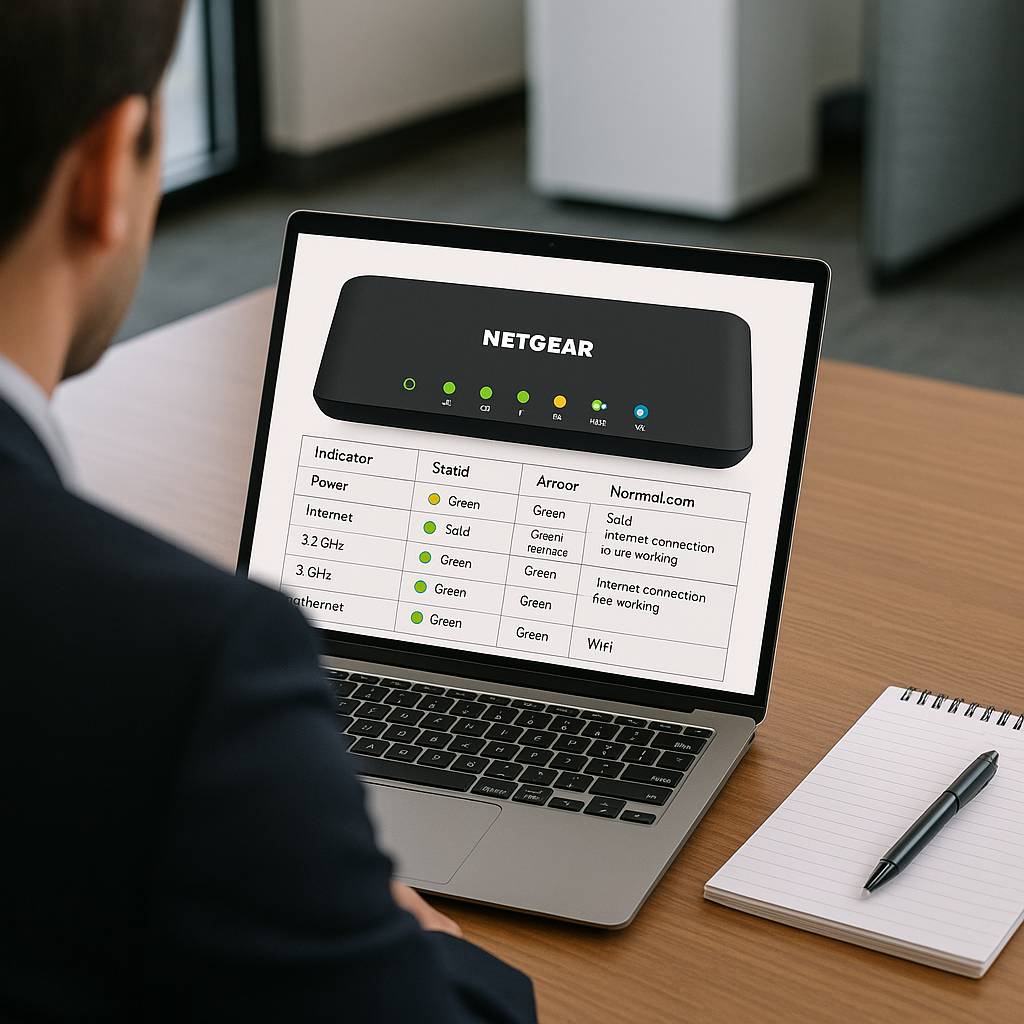
Each light on your Netgear router corresponds to a specific function. Here’s a breakdown of the significant indicators that matter and how they can help you:
####
1. Power Light
The power light indicates whether your router is receiving electricity. When your router is powered on but the light is off, that’s your first clue that something might be wrong. Check your connections or consider calling in a technician if the issue persists.
####
2. Internet Connection Light
This light displays the state of your internet connection. A green light means you are connected, while an amber light indicates potential issues. If the light is off, you may need to troubleshoot your internet connection. A reliable internet connection is crucial for business operations, especially for online stores and booking services.
####
3. Wi-Fi Connection Lights
These lights show the status of your Wi-Fi networks. Green means your Wi-Fi is working, while red could indicate a problem. For businesses that operate remotely or have mobile staff, ensuring that your Wi-Fi is consistently functioning is vital. This light can help you identify issues before they escalate into bigger disruptions.
####
4. Ethernet Ports Indicator Lights
If you have devices connected via Ethernet, the indicator lights will show whether those devices are connected properly. A solid green light typically means a good connection, while blinking lights indicate data is being transmitted. For warehouses or clinics that rely on wired connections for stability, understanding these lights can prevent significant downtime.
####
5. USB Light
If your router supports USB connections, this light indicates if there are USB devices connected and functioning. Businesses often use USB ports to connect printers or data drives, making this light relevant if you’re relying on networked peripherals.
####
6. WPS Light
The Wi-Fi Protected Setup (WPS) light is essential for securing your network. If you press the WPS button to add devices, this light should blink. If not, your added devices may not be secured properly. This is particularly important for sensitive data management tasks, such as when you’re relying on CRM systems for customer data.
### How to Enhance Your Network Performance
Knowing what your router lights mean is just the beginning. At Best Choice, we can optimize your network setup to ensure it’s performing at its best. Here are some actionable insights to improve your network performance:
– **Regularly Update Firmware**: Ensuring that your router has up-to-date firmware can protect your network from vulnerabilities.
– **Check Placement**: Ensure that the router is central in your business premises to improve Wi-Fi coverage.
– **Secure Your Network**: Use strong passwords and enable WPS only when you need to add new devices.
– **Implement Monitoring Software**: By integrating network monitoring solutions, you can keep an eye on your router’s statistics and performance, minimizing disruptions.
– **Consult Experts for Custom Solutions**: If your business has unique needs, consider investing in custom-built IT solutions that integrate well with existing hardware.
### Conclusion
Understanding your Netgear router’s lights is essential for maintaining a healthy and efficient network. Ignoring the signals could lead to missed opportunities or costly interruptions. If you’re looking for solutions to enhance your telecommunications infrastructure or need help integrating third-party systems, feel free to reach out to us at Best Choice. Let’s work together to ensure your business is always connected and running at peak efficiency!