Maximizing Your CarPlay Experience: Using Google Maps Effectively
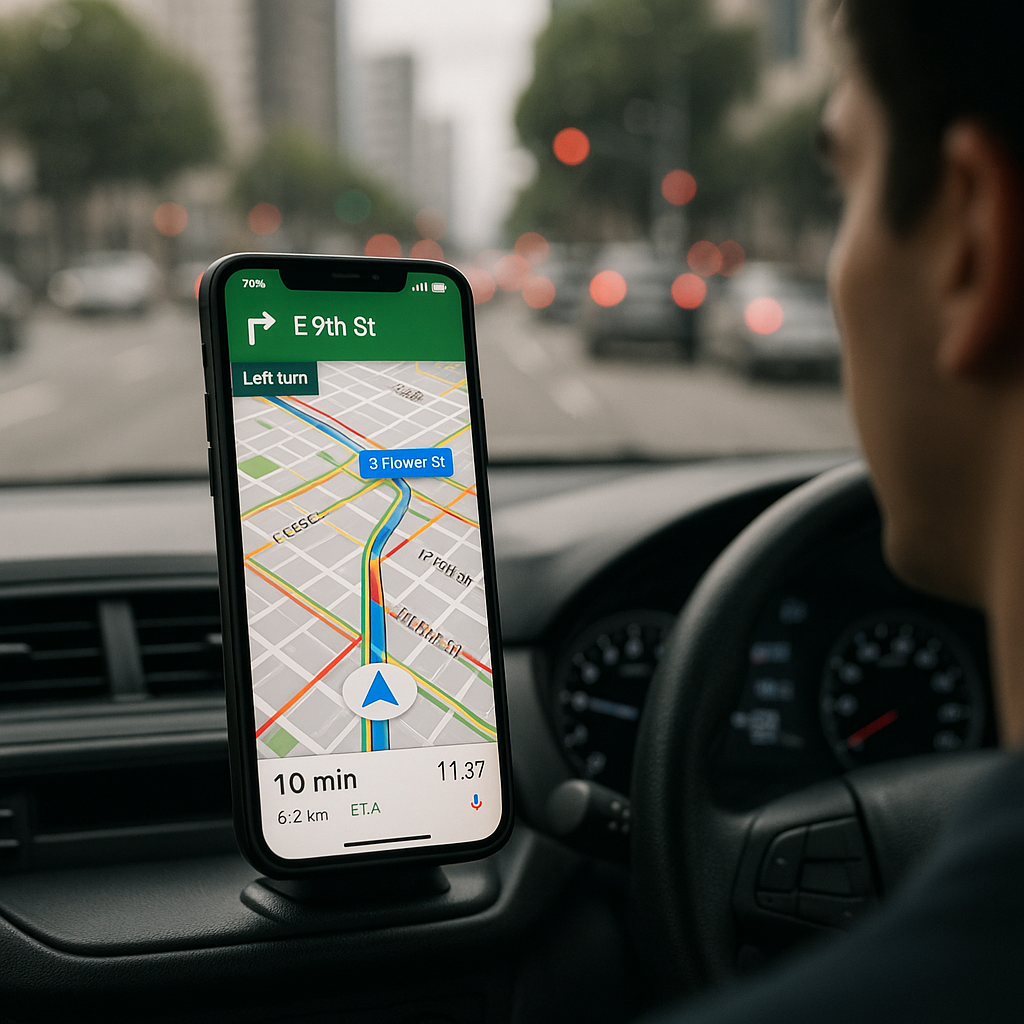
As someone who enjoys the conveniences of smart technology while on the road, I’ve often found myself navigating the sometimes-tricky waters of app compatibility in my car. One of the most notable frustrations is that Google Maps can’t currently be set as the default GPS app in CarPlay in most regions. However, don’t let that limit your navigation options. At Best Choice, we believe in maximizing the tools at your disposal to make your driving experience as seamless and efficient as possible.
Let’s dive into how you can optimize the use of Google Maps with CarPlay, making your driving safer and less stressful. Whether you’re a business owner needing reliable navigation for deliveries or someone who simply wants a hassle-free trip, I promise there are practical solutions to improve your in-car navigation experience.
Understanding CarPlay’s Limitations
CarPlay is a fantastic feature that brings the power of your iPhone directly to your car’s dashboard. However, the limitation of setting Google Maps as your default GPS can seem daunting. Understanding these restrictions is the first step toward overcoming them. By using Google Maps alongside CarPlay’s capabilities, you can still get the most out of your road trips.
Use Siri to Navigate Google Maps
Even without setting Google Maps as the default option, you can harness the power of Siri to get directions. Just say, “Hey Siri, get directions to [destination] using Google Maps.” While this approach isn’t as streamlined as having Google Maps default, it can save you time and effort when entering your destination. For any business owner making deliveries or appointments, voice commands can keep your hands on the wheel and eyes on the road.
Set Up Favorites for Quick Access
Got a few go-to locations for your business? Whether it’s a favorite supplier or a customer’s address, you can save these locations as “Favorites” in Google Maps. This way, you can quickly navigate to them without having to search each time, ensuring that you make the most out of your driving route.
Utilize Syncing Across Devices
One of the key advantages of Google Maps is that it syncs across devices. If you often switch between your phone, tablet, and computer, ensure you log into the same Google account for consistent data across platforms. This will help you prepare for trips before you even set foot in your car, saving precious time during busy workdays.
Leverage Offline Maps
In Denmark and broader Europe, connectivity can sometimes be an issue, especially when driving in rural areas. Google Maps offers a feature to download maps for offline use. By doing this, you can access navigation features without relying on a cellular signal, making it ideal for long trips or deliveries far from urban centers. As a business owner, having access to offline maps can ensure that you successfully find your way, even in places where the signal is spotty.
Integrate with Other Business Apps
Your operational efficiency can be significantly enhanced by integrating your navigation with other business tools. For example, logistics software can be set up to work alongside Google Maps, streamlining your delivery processes. Our team at Best Choice specializes in collaborating and integrating various digital solutions tailored to your business needs. We ensure that your navigation seamlessly connects with your larger operational framework, from CRM systems to invoicing apps.
Customize Your Google Maps Settings
Lastly, take the time to customize your Google Maps settings. Opt for an “Avoid Highways” route if you’re delivering to local neighborhoods or choose “Avoid Tolls” if you’re looking to save costs. Every business has unique needs, whether you’re a café owner delivering fresh pastries or a medical clinic scheduling patient visits. Adjusting these settings can lead to more efficient routes and ultimately save you time and money.
Conclusion
While Apple CarPlay may not allow you to set Google Maps as the default GPS app, there are numerous ways to optimize your experience with the app while driving. By using voice commands effectively, setting up favorites, syncing across devices, utilizing offline capacities, integrating with business tools, and customizing your preferences, you can make your journey more manageable and efficient.
At Best Choice, we understand the importance of smooth operations for your business. If you’re looking for tailored IT solutions to improve your workflows or enhance your tech stack, don’t hesitate to reach out. We’ve got the expertise to help you navigate through your digital landscape!