Anthropic Takes on Google and Microsoft with Claude Sheets
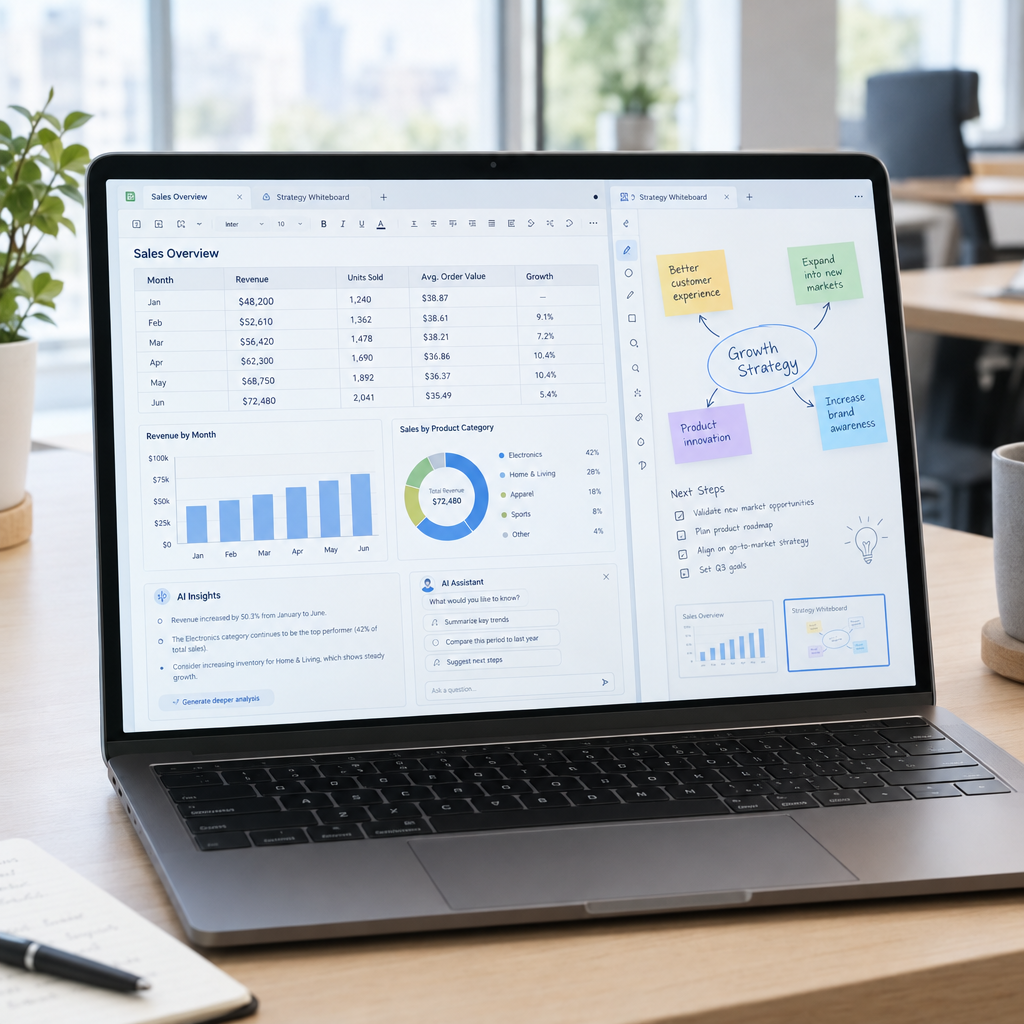
Spreadsheets and whiteboards are part of everyday business: teams use them to track costs, plan campaigns, manage stock and share ideas. Anthropic’s move into these familiar tools—with Claude Sheets and a new whiteboard app—signals a bigger shift: AI is moving closer to the work itself, not just sitting in a separate chat window.
For businesses in Denmark and across Europe, the important question is not simply which technology company launches the next app. It is whether AI can make routine work faster, improve decisions and fit securely into existing processes. At Best Choice, we help businesses assess new tools and build practical systems around the way their teams already work.
1. Why AI is moving into spreadsheets
Many important business decisions start with spreadsheet data. A retailer may compare product sales, a café may track ingredient costs, and a service company may forecast staff capacity. Yet cleaning, sorting and interpreting that information can take hours.
An AI-enabled spreadsheet aims to make tasks like exploring data, finding patterns and preparing summaries more accessible. Instead of manually checking every row, an employee may be able to ask a question in plain language and use the result as a starting point for analysis. The exact capabilities depend on the product and its current availability, so businesses should test real tasks before changing established workflows.
2. What a new whiteboard app could mean for teams
Whiteboards help teams turn discussions into plans. A marketing team might map a campaign, while a warehouse manager could sketch a new picking process. Bringing AI into this kind of workspace could help teams organise notes, develop ideas or turn a rough plan into clearer next steps.
The value depends on how well the tool fits the team’s process. A new app should not become another isolated place where information gets lost. We recommend deciding in advance how ideas will move from a whiteboard into project management, customer records or the tasks employees complete each day.
3. Where custom automation creates business value
A standalone AI tool can be useful, but the larger benefit often comes from connecting it to a complete workflow. At Best Choice, we can design tailored systems that bring together forms, spreadsheets, databases, customer management and reporting. This helps reduce repetitive copying and gives staff a clearer path from incoming information to a completed task.
For example, an online store could combine order data with stock levels to flag products that need attention. A clinic could route booking requests to the right staff member, while a booking service could automate confirmations and reminders. These workflows should be designed around the business’s actual needs, with appropriate human checks for important decisions.
4. Fit new tools into the systems you already use
Google and Microsoft tools are already part of many organisations, but they are not the only options. Depending on a company’s requirements, open-source software such as LibreOffice Calc, Nextcloud or Excalidraw may also be worth considering. The right choice depends on collaboration needs, data control, existing infrastructure and staff familiarity—not simply on which tool is newest.
We can help businesses assess their current setup and connect suitable third-party platforms where appropriate. Before adopting a new service, check whether it can exchange data with the systems you rely on, how access is managed, and what happens if you later decide to switch. Good integration reduces friction; poor integration can create more manual work.
5. Protect data and check AI-generated results
Business spreadsheets can contain personal information, supplier prices, forecasts or other sensitive data. Before uploading files to any AI service, review its data-handling terms, access controls and available security settings. Danish and European businesses should also consider their GDPR obligations and internal rules for using customer or employee information.
AI-generated calculations and summaries should be treated as assistance, not automatic truth. Check formulas, assumptions and source data before using results in financial decisions, customer communications or operational plans. For higher-risk workflows, build in approval steps and keep a record of how important outputs are reviewed.
6. A practical way to evaluate Claude Sheets and similar tools
Start with one repetitive task that has clear success criteria. For example, ask a small team to use an AI spreadsheet workflow to prepare a weekly sales summary, then compare the time taken and the accuracy against the existing process. For a whiteboard app, test whether it helps a team turn meeting notes into assigned actions without adding extra administration.
- Choose a measurable task: track time saved, errors reduced or faster response times.
- Use non-sensitive data first: assess the workflow before introducing confidential information.
- Involve the people doing the work: their feedback reveals whether the tool is genuinely useful.
- Plan the next step: decide how successful experiments will connect to wider business systems.
Make new AI tools work for your business
Claude Sheets and Anthropic’s new whiteboard app reflect a wider change in business software: AI is becoming part of the tools where people already plan, analyse and collaborate. The opportunity is real, but the best results come from matching the technology to a useful process, protecting business data and checking outputs carefully.
At Best Choice, we help businesses in Denmark and across Europe evaluate AI tools, automate workflows and connect systems. Contact us to discuss a practical solution that saves time and supports your business goals.