Apple Adds New Disk Controls to Help Keep AI Agents Under Control
AI agents can do more than answer questions. With the right access, they can search files, update documents and carry out routine computer tasks. That can save time for a business—but an agent with too much access could also change or expose files it should never touch.
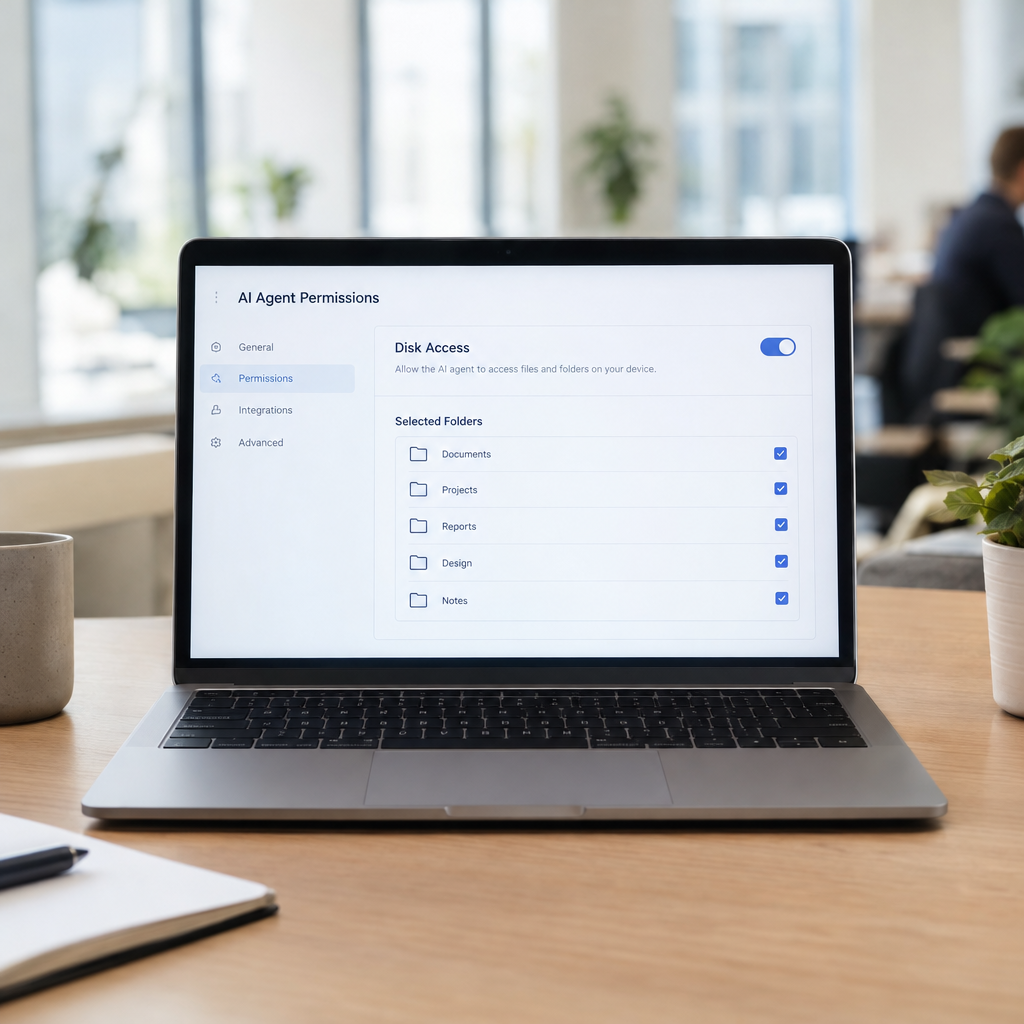
Apple is introducing new controls to limit how AI agents access files on Mac computers. The move highlights an important lesson for every business adopting AI: automation should be useful, but it also needs clear boundaries. At Best Choice, we help businesses design AI and automation workflows that get work done while keeping access, approvals and data protection in mind.
1. Why disk access matters for AI agents
A human employee usually knows which files belong to a particular task. An AI agent needs rules that tell it where to look and what it may do. If it receives broad access to a computer’s disk, it could potentially read confidential documents, overwrite important files or act on information that was never meant for it.
This is not only a Mac issue. Any AI system connected to business files, email, databases or cloud storage should be given only the access it needs. A sensible setup can reduce mistakes and help protect customer information, financial records and internal plans.
2. What Apple’s controls mean for businesses
Apple’s move signals that operating-system providers are taking the risks of automated access more seriously. Restrictions on an agent’s access can make it harder for software to browse or change files without permission. For businesses, that is a useful layer of protection—but it should not replace careful configuration and staff oversight.
Before enabling an AI tool on a work computer, decide which folders and file types it needs. Keep sensitive material separate where possible, and require approval before an agent deletes, edits or shares important documents. These simple rules help make automation more predictable.
3. Build AI workflows around specific jobs
Rather than giving an agent access to an entire computer, we recommend designing it around a defined business task. For example, a warehouse assistant might read incoming delivery documents from one folder, extract product quantities and prepare an update for inventory staff. It does not need access to payroll files or every document on the company network.
At Best Choice, we create tailored AI and automation workflows that connect only the systems and information needed for a task. We can add approval steps, activity logs and clear limits on what the automation may change. This helps businesses save time without handing over unnecessary control.
4. Practical examples across different industries
- Online store: An agent can summarise customer enquiries and draft replies, while a staff member approves refunds or changes to orders.
- Cafe: A workflow can organise supplier invoices and flag unusual prices without accessing unrelated business files.
- Clinic: Administrative automation can help process appointment requests, with strict controls around personal and health information.
- Booking service: An agent can check availability and prepare booking changes, but request confirmation before sending a final update.
In each case, the goal is to automate repetitive work while keeping important decisions visible to people. That balance can improve response times, reduce manual data entry and help protect business operations.
5. Combine controls with privacy and security practices
Technical permissions work best alongside clear company policies. Decide who can approve an AI tool, what information it may process, how long records are retained and what staff should do if an agent behaves unexpectedly. Businesses in Denmark and across Europe should also consider data protection obligations, including GDPR, when personal information is involved.
Open-source tools such as n8n for workflow automation and Ollama for running some language models locally may be relevant in certain setups. They still need secure configuration, maintenance and appropriate access controls. We can help assess whether an open-source or hosted approach fits your requirements and connect it with existing business systems where suitable.
6. A practical checklist before you deploy an agent
- Give the agent access only to the folders, accounts and systems required for its task.
- Start with read-only access, then add permission to make changes only when necessary.
- Require human approval for sensitive actions such as deleting files, sending external messages or issuing refunds.
- Test the workflow using sample data before connecting it to live business information.
- Review access regularly and remove permissions when a tool or employee no longer needs them.
Also make sure employees understand what the agent can and cannot do. A small pilot with one team is often a safer way to learn than rolling out automation across the whole business at once.
Make AI useful—and keep it within bounds
Apple’s new disk controls reflect a wider shift: AI agents need defined permissions, not unrestricted access. With thoughtful design, businesses can automate routine tasks while keeping sensitive information and high-impact decisions protected.
We at Best Choice can help you plan, build and integrate AI workflows that fit your business processes and security needs. Contact us to discuss a practical approach to AI agents, automation and responsible access to your business data.