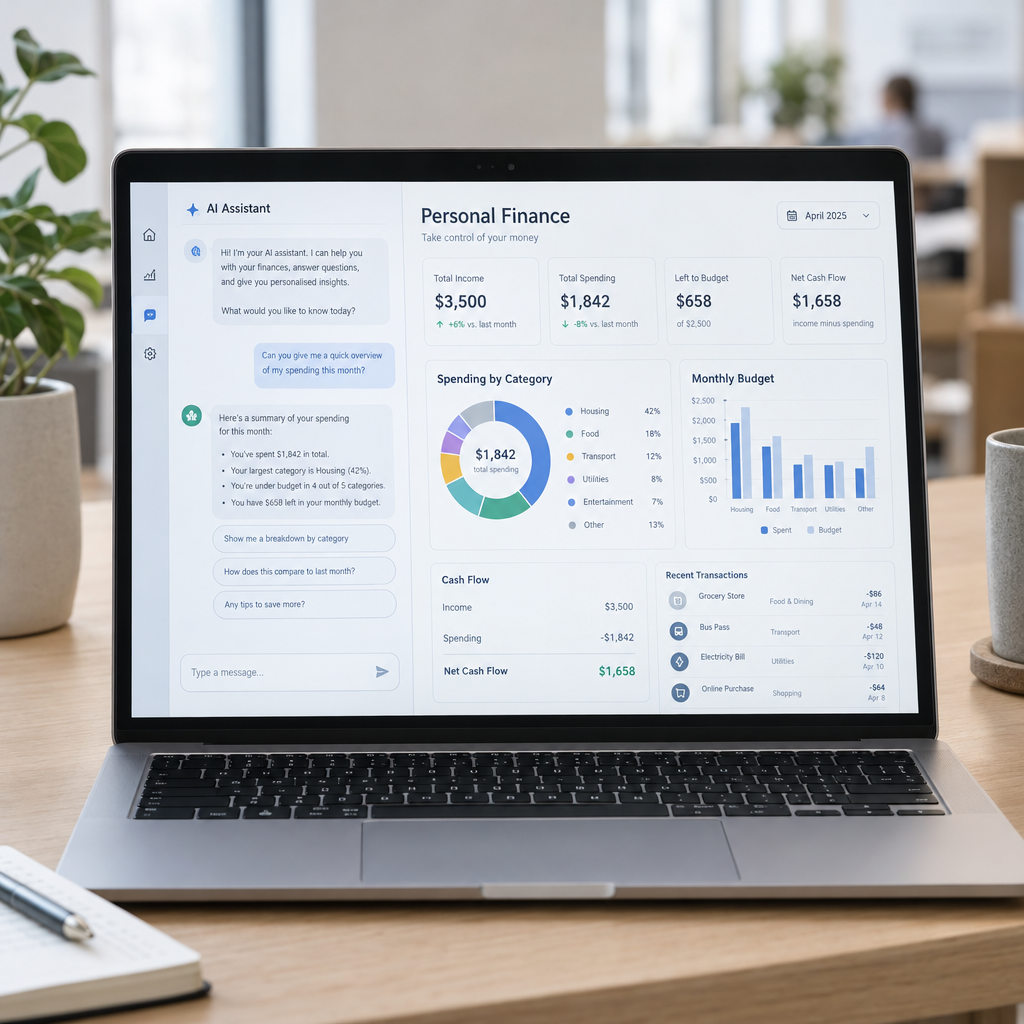
AI assistants such as Claude can make financial information easier to understand. They can summarise spending, explain unfamiliar terms and help prepare questions for an accountant. For a busy business owner, that sounds useful—but an AI answer is only as reliable as the information it receives and the checks around it.
So, should you use Claude to help with your finances? We at Best Choice believe it can be valuable when it supports a well-designed process rather than making financial decisions on its own. The key is to connect the right data safely, define what the AI is allowed to do, and keep people responsible for important decisions.
1. What can Claude do with financial information?
An AI assistant can help explain a cash-flow report, summarise expenses or turn a long list of transactions into categories for review. You might ask it to compare monthly costs, highlight unusual changes or explain the difference between revenue and profit in plain English.
These tasks can save time, especially when information is spread across spreadsheets, invoices and business systems. But Claude should be treated as an assistant—not as your accountant, bookkeeper or financial adviser. Its response needs to be checked against your original records.
2. Useful financial tasks for a small business
Imagine you run a café in Denmark. You could use AI to help review supplier costs, compare them with previous months and prepare a short list of questions before a meeting with your bookkeeper. An online shop might use it to summarise refunds, payment fees and sales trends across a reporting period.
AI can also help with routine preparation: drafting a budget summary, organising questions about an invoice or explaining a report to a non-financial manager. These uses can improve understanding and reduce manual reading, while leaving approvals and accounting decisions to qualified people.
3. Where AI can get it wrong
AI may misunderstand a spreadsheet, overlook a detail or produce a confident answer that is incorrect. It can also make mistakes when figures use different time periods, currencies or accounting categories. A plausible explanation is not proof that the calculation is right.
This matters when dealing with Danish VAT, payroll, tax, statutory reporting or cash-flow commitments. Rules and circumstances can change, and the right treatment depends on your business. Always verify calculations and compliance questions with your accountant or another qualified professional.
4. Protecting your business and customer data
Financial records can contain sensitive information about your company, staff, suppliers and customers. Before entering data into any AI service, check its current privacy terms, account settings and your organisation’s data-protection requirements. Avoid pasting bank details, personal identification numbers, payroll records or customer information into a consumer AI chat without proper approval.
For businesses operating in Denmark and the wider EU, data handling should be considered alongside GDPR responsibilities. A safer approach may be to remove identifying details, share only the minimum information needed and control who can access the AI workflow. Your security policy should also explain what staff may and may not upload.
5. Make AI useful through a controlled workflow
For regular work, copying figures into a chat window is rarely the best long-term process. We at Best Choice can build custom workflows that collect approved data from your existing systems, prepare it for analysis and present results for a person to review. For example, a warehouse could receive a weekly summary of supplier spending, with unusual changes flagged for manager approval.
Depending on your systems and access permissions, Claude may be integrated into a broader process through available interfaces. We can also help improve connected accounting, CRM or webshop workflows and use automation tools—including suitable open-source options such as n8n—where they fit your security and maintenance needs. The aim is to reduce repetitive work without giving an AI uncontrolled access to financial systems.
6. A practical checklist before you start
- Choose a narrow task: Start with summaries or report preparation, not automatic payments or financial decisions.
- Use reliable, current data: Confirm that figures have the right dates, currency and accounting context.
- Set a human review step: Require approval before reports are shared or actions are taken.
- Limit sensitive information: Share only what is necessary and check the service’s data settings.
- Measure the outcome: Track time saved, error rates and whether the process genuinely helps your team.
A small, well-controlled pilot will show whether AI provides real value before you expand it to more financial tasks. Keep a record of who reviewed the output and how corrections are handled, especially if the workflow becomes part of regular reporting.
Conclusion: Use AI as support, not as the decision-maker
Claude can help make financial information easier to work with, but it does not remove the need for accurate records, sound judgement or professional advice. Used carefully, it can reduce repetitive analysis and help business owners spot questions worth investigating. Used without safeguards, it can expose sensitive data or make errors harder to notice.
If you want to connect AI with your business systems or automate financial reporting safely, contact Best Choice. We can help you assess the workflow, protect your data and build a solution that supports your team while keeping important decisions in human hands.