# How to Change Amazon Alexa’s Voice and Personality
In our rapidly evolving digital landscape, personalizing our technology has become a priority. One popular device that many people rely on is Amazon Alexa, the voice-activated assistant that responds to our needs and inquiries. But did you know that you can change Alexa’s voice and personality? Personalizing Alexa can not only enhance your user experience but also make interactions with this AI assistant more enjoyable and engaging. Let’s dive into how you can tailor Alexa to suit your preferences.
## Understanding the Importance of Personalization
Personalization in technology is crucial for several reasons. First and foremost, it makes your interactions feel more unique and relevant. As a business decision-maker or entrepreneur, creating a personalized experience can significantly improve customer engagement—whether in customer support, marketing, or overall brand loyalty.
Moreover, a personalized assistant can lead to increased productivity. When Alexa reflects your preferences, tasks and reminders feel more intuitive, allowing you to stay focused on what matters. At Best Choice, we help businesses implement tailored solutions that enhance user experiences, just like personalizing Alexa can do in your home or office.
## Exploring Alexa’s Voice and Personality Options
With several voice options available, Alexa offers a range of capabilities that may resonate more with different users. Here’s how to explore and change those settings.
### 1. Changing Alexa’s Voice
To change Alexa’s voice, follow these straightforward steps:
– Open the Amazon Alexa app on your smartphone.
– Tap on the “Devices” icon at the bottom right corner.
– Select “Echo & Alexa.”
– Choose the device you want to change.
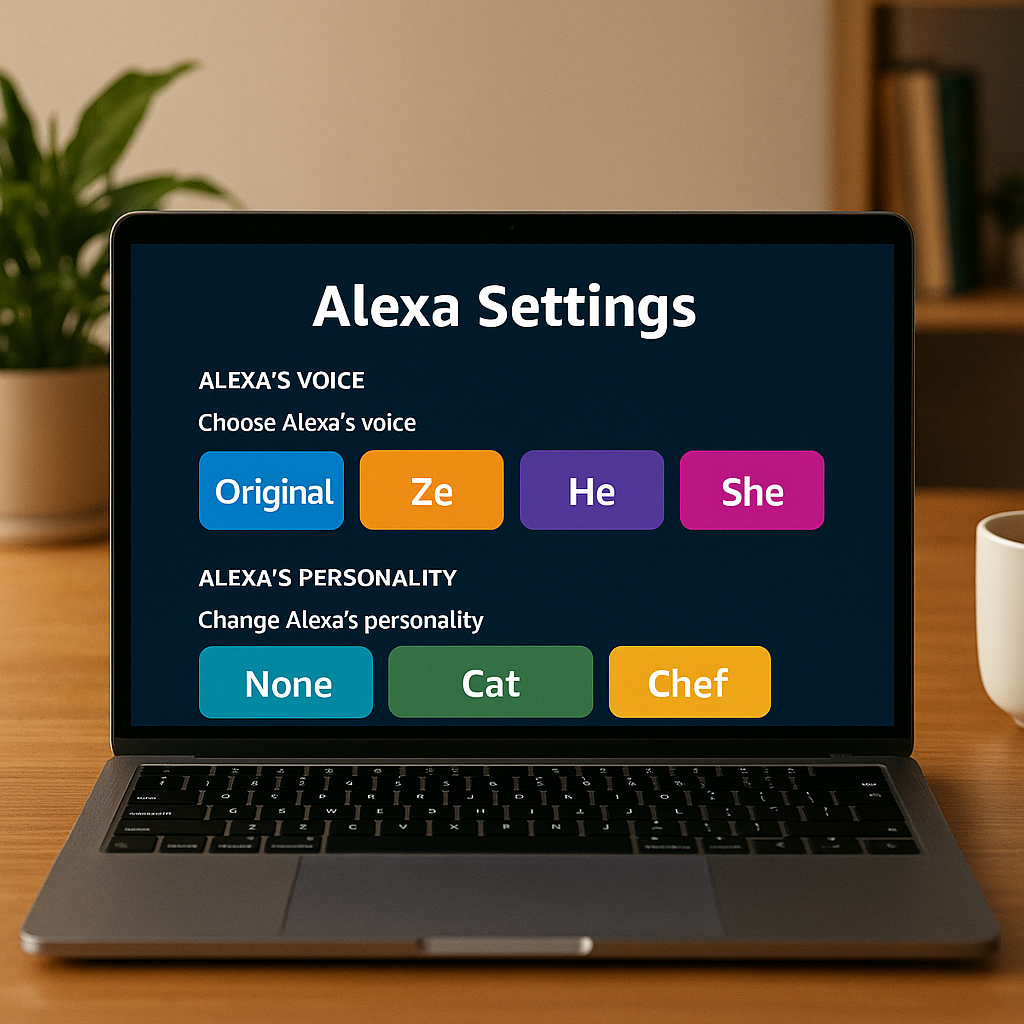
– Tap on “Settings,” then find “Alexa’s Voice.”
– Select your preferred voice option, such as selecting a different accent or even choosing a celebrity’s voice, if available.
By providing your Alexa device with a voice you like, your daily interactions can transform from mundane tasks to enjoyable exchanges, enhancing your overall experience.
### 2. Adjusting Personality Traits
Beyond voice, Alexa has personality traits that you can modify. This can be particularly useful for creating a tone that aligns with your preferences or business environment.
To change personality traits, head back to the Alexa app and go to the “Settings.” From there, look for “Alexa’s Voice” or “Voice Responses.” Here, you might be able to customize how Alexa responds, whether you prefer concise answers, more elaborate ones, or even humorous responses.
By adjusting these traits, you enhance the atmosphere, whether in a cozy café, a busy warehouse, or a professional clinic.
### 3. Skill Customization
One of the standout features of Alexa is its ability to download skills—think of them as apps that enhance functionality. You’ll find thousands of skills available, tailored to various needs from entertainment to productivity tracking.
You can customize which skills Alexa uses, ensuring you receive information that aligns with your business goals. For instance, if you run an online store, you might want skills that help manage inventory or monitor sales trends, creating a responsive and efficient interface that mirrors the essence of your brand.
### 4. Routine Settings
Routines can also play a vital role in personalizing Alexa. By setting up routines, you can program Alexa to perform multiple tasks with a single command.
For example, if you own a booking service, you might set a morning routine where Alexa summarizes your schedule, provides traffic updates, and prepares music for your morning coffee. This not only streamlines workflows but maximizes efficiency during busy mornings.
### 5. Multi-User Profiles
If you have multiple users, you should consider enabling multi-user support. This feature allows family members or team members to engage with Alexa in their unique manner.
By enabling voice profiles, Alexa can recognize each user’s voice and respond according to their preferences. This can be especially useful in business settings where different departments require different functions and tones from the assistant.
### 6. Choosing the Right Device for Your Needs
Finally, choosing the right Alexa-enabled device can impact the overall experience. For businesses, an Echo Show with a screen may be beneficial for displaying visuals or content during presentations, enhancing engagements in meetings or training sessions.
By selecting the right device and personalizing both voice and personality, you align the assistant’s capabilities with the needs and atmosphere of your workplace.
## Conclusion: Transform Your Experience with Alexa
Personalizing Amazon Alexa’s voice and personality can significantly enhance the way you interact with this intelligent assistant. From transforming how you manage tasks to creating a more enjoyable atmosphere, these simple adjustments can foster a more engaging experience for everyone.
If you’re looking to enhance your business’s digital experience—even beyond Alexa—reach out to us at Best Choice. We specialize in implementing custom-built solutions tailored to your needs, improving workflows, and automating routine tasks in your workplace. Let’s work together to take your business to the next level!