How to Enable Live Activities on iPhone and CarPlay
As a business decision-maker, you’re no stranger to the importance of real-time information. Whether you’re managing a busy café, running a warehouse, or overseeing an online store, staying updated with live data can significantly enhance your productivity. At Best Choice, we understand that integrating technology into your daily workflows is crucial, which is why we want to delve into the world of Live Activities on iPhone and CarPlay.
Live Activities provide a way to keep essential real-time information from your apps readily accessible. Imagine getting instant updates on your deliveries, appointments, or customer interactions without having to check your device constantly. Whether you’re on the move or behind the scenes, enabling Live Activities can streamline your processes and improve overall efficiency.
Understanding Live Activities
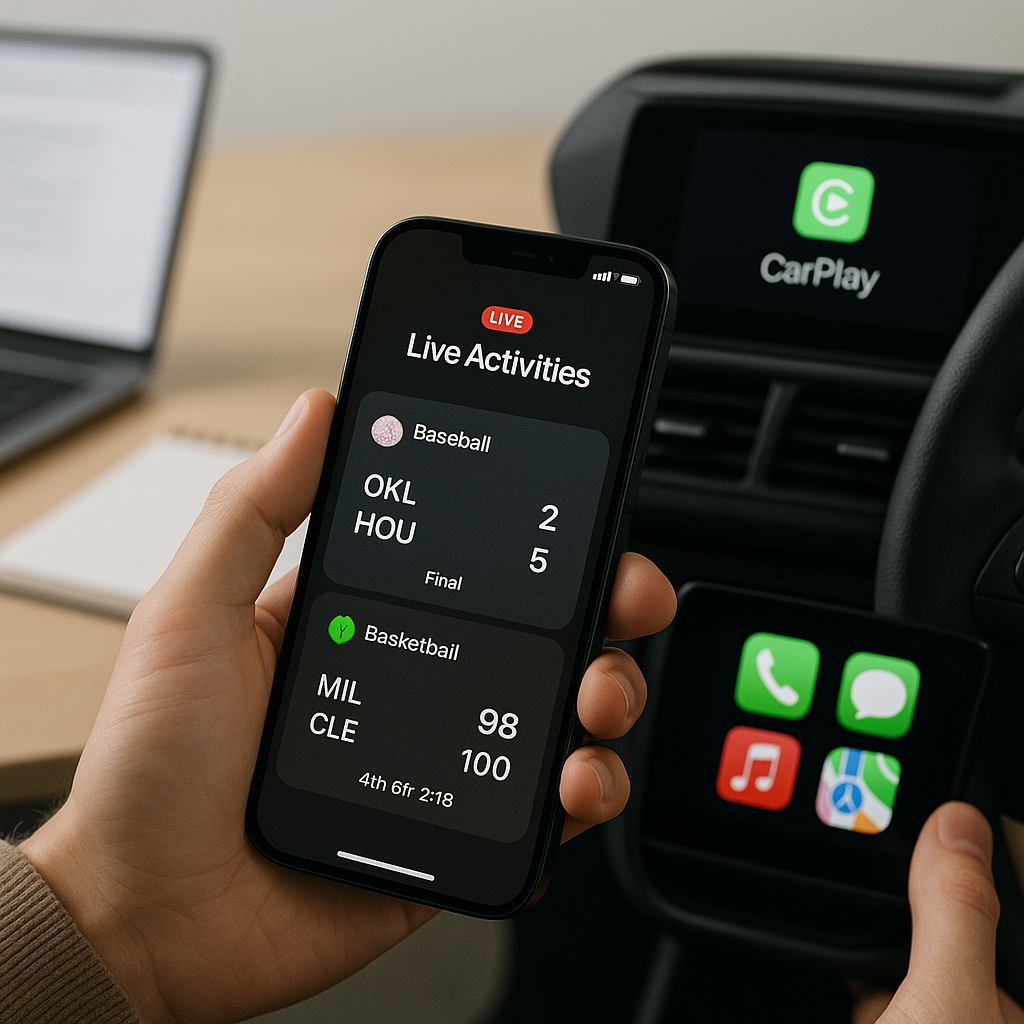
Live Activities are designed to show real-time updates for ongoing activities right at your fingertips. When you enable this feature on your iPhone and CarPlay, you can monitor specific applications that require your attention without sifting through multiple notifications. This means more time to focus on what really matters – running your business.
1. Benefits of Enabling Live Activities
For entrepreneurs like you, leveraging Live Activities can have several advantages:
- Improved productivity: Focus on tasks that matter while getting real-time updates on services like deliveries, appointment bookings, and sales metrics.
- Enhanced customer service: Stay informed about your customers’ needs instantly, allowing you to respond promptly and improve satisfaction.
- Time-saving: Reduce the need to constantly check your phone for updates; Live Activities keep you informed without interruption.
2. How to Enable Live Activities on Your iPhone
Enabling Live Activities is straightforward. Follow these simple steps:
- Open the Settings app on your iPhone.
- Scroll down and find the application you want to enable Live Activities for.
- Tap on the app and toggle on Live Activities.
- For apps that support it, you can also enable notifications for the latest updates.
3. Connecting Live Activities to CarPlay
Once you’ve enabled Live Activities on your iPhone, you’ll want to ensure that it translates seamlessly to your CarPlay system. Here’s how:
- Ensure your iPhone is connected to your CarPlay-enabled vehicle.
- Open the appropriate application while your CarPlay display is on.
- Live Activities should automatically appear on the CarPlay interface, providing you with real-time information as you drive.
4. Business Examples Utilizing Live Activities
Let’s explore how different businesses in Denmark and Europe can leverage Live Activities:
- Cafés: A café owner can use Live Activities to track orders in real-time. Updates on pending orders allow for quick service and keep customers happy.
- Warehouses: Warehouse managers can monitor inventory transactions and delivery statuses, allowing them to make swift decisions that improve workflow and efficiency.
- Online Stores: An online retailer can keep track of customer inquiries, process orders instantly, and ensure that products are dispatched on time.
- Clinics: Healthcare providers can manage appointment schedules and patient records more effectively, leading to improved service delivery.
5. Potential Challenges
While Live Activities offer numerous benefits, there can be challenges involved in implementing them.
- App Compatibility: Not all apps support Live Activities yet, which may limit your ability to integrate seamlessly across your business.
- Battery Usage: Keeping Live Activities updated can consume battery life, a consideration for users on the go.
6. Final Recommendations
To maximize the benefits of Live Activities:
- Regularly check for app updates that may introduce new Live Activities features.
- Consider providing training for employees on how to use this feature effectively.
- Monitor performances and make adjustments based on how the information impacts your operations.
Conclusion
Enabling Live Activities on your iPhone and CarPlay can transform the way you operate your business. By staying informed with real-time updates, you can enhance your productivity and customer interactions. If you’re looking to integrate custom-built or open-source solutions to improve your workflows further, we at Best Choice are here to help. Reach out today, and let’s optimize your business processes together!