The Important Gmail Security Settings Your Business Should Be Using
Gmail is often the front door to your business’s digital life. It may hold customer conversations, invoices, password-reset links and access to other business services, so a compromised account can cause far more trouble than a few unwanted emails.
If you have not reviewed your Gmail security recently, take time to check the settings below. At Best Choice, we help businesses improve account security and connect email with their everyday workflows, so protection becomes part of how the business operates—not just a one-time task.
1. Turn on two-step verification
A strong password is essential, but it may not be enough if it is reused or exposed in a data breach. Two-step verification adds another check when someone signs in, making a stolen password less useful to an attacker.
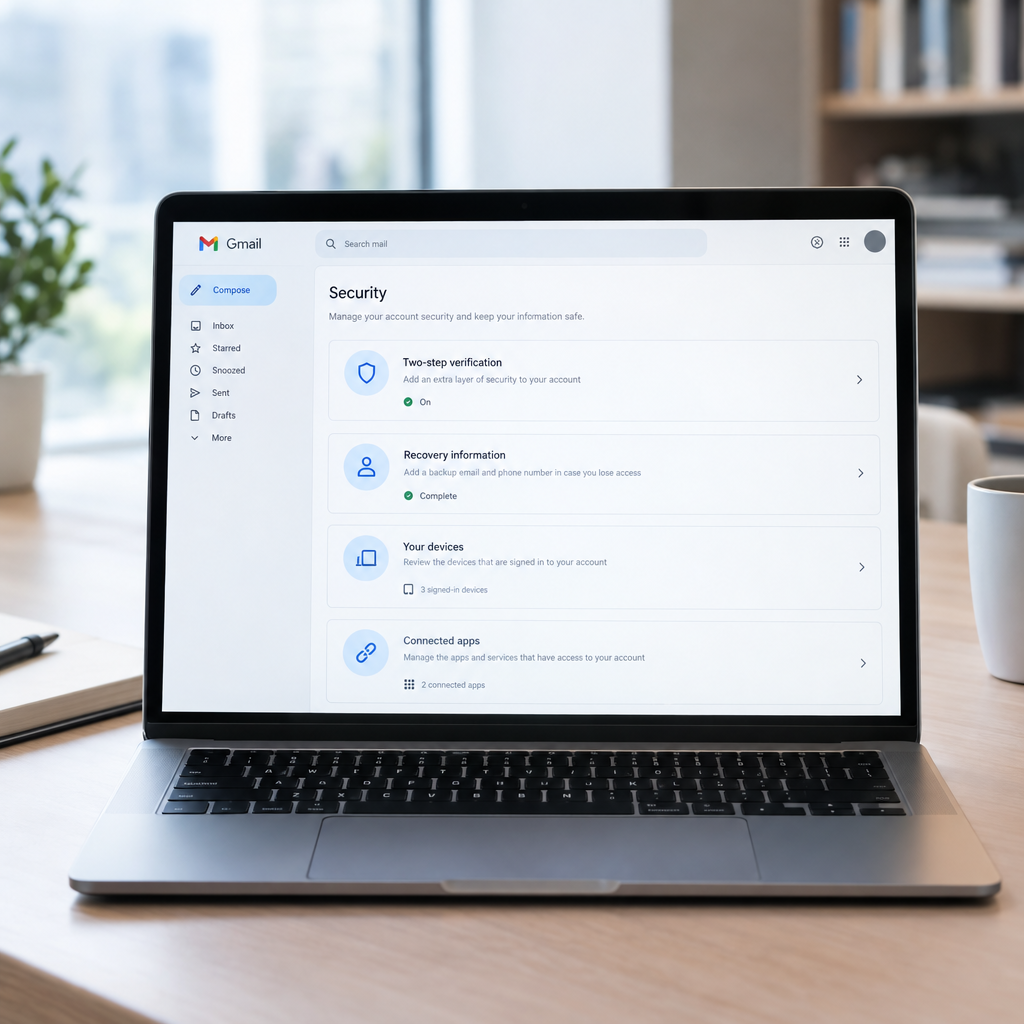
In your Google Account security settings, enable two-step verification and choose a method you can use reliably. Passkeys or a security key offer strong protection; an authenticator app is another practical option. Keep backup codes somewhere safe and separate from your email account.
For a Danish business, this matters especially for accounts that can access customer information, payment services or shared documents. We can help establish clear sign-in practices and make sure employees understand what to do if they lose a device.
2. Check recovery details and signed-in devices
Review the recovery phone number and email address on your account. They should be current, accessible to you and protected with strong security themselves. Outdated recovery details can make it harder to regain access—or create an opportunity for someone else.
Next, check the devices and recent security activity shown in your Google Account. Sign out of devices you no longer use and investigate unfamiliar sign-ins. If you suspect an account has been accessed, change the password from a trusted device, remove unknown sessions and review the settings below.
3. Use a unique password and a sensible password policy
Give your Gmail account a long, unique password that you do not use for any other service. A reputable password manager can help you create and store strong passwords without relying on memory or spreadsheets.
For a company using Google Workspace, we can help administrators create practical account policies, manage employee access and plan what happens when someone joins or leaves the business. The goal is to protect accounts without making normal work unnecessarily difficult.
4. Review third-party access, forwarding and filters
Connected apps can sometimes read, send or manage email. In your Google Account, review third-party access and remove services you no longer recognise or need. Be cautious when an app requests broad access just to perform a simple task.
Also check Gmail’s forwarding and filter settings. Unexpected forwarding addresses, rules that automatically archive messages, or filters that mark mail as read can hide signs of fraud. A warehouse, for example, should not have supplier bank-change emails quietly redirected or concealed by an unknown rule.
We can help businesses review how Gmail connects to their CRM, booking system or online store, and keep only the integrations that support a real business process.
5. Make phishing harder to fall for
Gmail filters out many suspicious messages, but no filter catches everything. Treat unexpected requests for passwords, gift cards, invoice changes or urgent payments with care—even when a message appears to come from a manager or supplier.
- Check the full sender address, not only the display name.
- Pause before opening unexpected attachments or signing in through an email link.
- Confirm payment or bank-detail changes using a separate, trusted contact method.
- Report suspicious messages rather than simply forwarding them to colleagues.
A short internal process can prevent an expensive mistake. We can help automate safe approval steps—for example, requiring a second person to verify supplier bank changes before they are updated in business systems.
6. Add business controls and a response plan
If your company relies on Gmail for customer or operational email, consider whether personal Gmail accounts are appropriate. Google Workspace can provide centrally managed business accounts and administrator controls. We can help set up or improve the service, connect it to your existing tools and configure workflows around how your team works.
Security also involves knowing what to do when something goes wrong. Decide who employees should contact, how to report a suspicious sign-in and how access will be removed if a device is lost. Danish and European businesses should also consider how email security fits into their wider privacy and data-protection practices.
Protect your email before a problem occurs
Start with two-step verification, recovery details, signed-in devices and a review of connected apps, forwarding and filters. These checks are quick, but they can reduce the risk of account takeover, payment fraud and disruption to your team.
At Best Choice, we help businesses secure email, improve integrations and automate routine processes. Contact us to discuss a practical Gmail and IT security setup for your business.