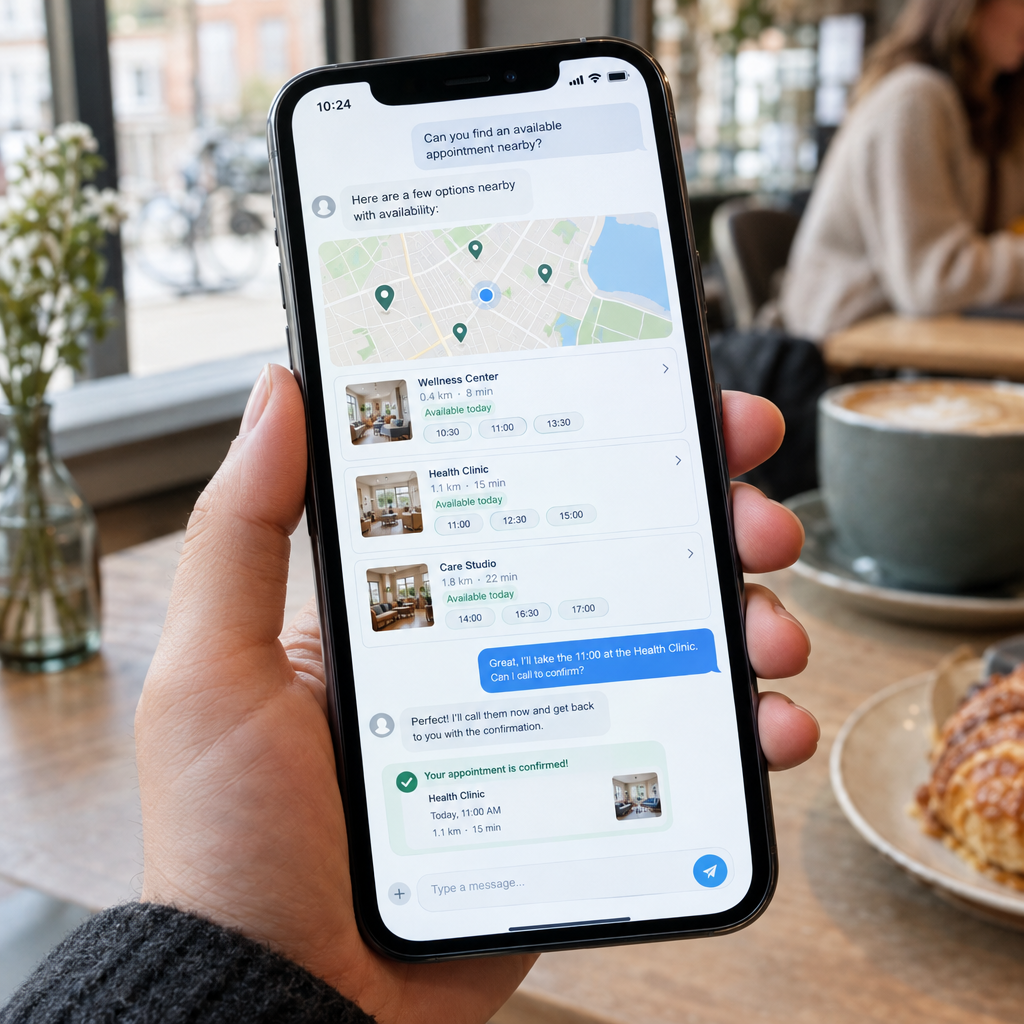
Google Maps’ Chatbot Can Find Appointments and Call to Book Them for You
Finding a local business is only the first step. Customers also need to know whether it is open, what services it offers and whether an appointment is available. Google Maps is bringing AI into this process: its Ask Maps chatbot can help people find appointment options and, in some cases, call a business to ask about booking.
Google says the feature is expanding to more than 30 additional countries across Europe. For business owners, this is a timely reminder that customer service increasingly starts with accurate online information and continues through connected booking systems. At Best Choice, we help businesses prepare with practical automation that connects their websites, calendars, customer records and phone systems.
1. What Ask Maps’ appointment feature means
Ask Maps lets users ask questions in everyday language instead of relying only on filters and search terms. A customer might look for a nearby service and ask whether a business can accommodate a particular appointment. When relevant, Google’s chatbot can call a business to check details or help with the booking process.
The exact experience can depend on the country, language, business type and availability of the feature. It should not be assumed that every business will receive calls or that every appointment can be booked automatically. Still, the direction is clear: customers expect to move from discovery to action with fewer steps.
2. Why this matters for local businesses
For a clinic, salon or repair service, missed calls can mean lost bookings. Staff may be busy with customers, while callers want a quick answer about availability, prices or opening hours. A chatbot that can make enquiries on a customer’s behalf may make it easier for people to consider businesses they might otherwise skip.
That creates an opportunity as well as an operational challenge. If your business details are incomplete or your booking process depends on someone answering the phone, potential customers may not get a clear response. A café might need to clarify whether it accepts reservations, while a clinic needs appointment types and availability to be easy to confirm.
3. Make your business information easy to understand
Start with the basics: check your Google Business Profile and website for correct opening hours, address, phone number, services and booking links. Keep holiday hours and temporary changes up to date. Make service names specific—for example, distinguish between an initial consultation and a follow-up appointment.
Use consistent information across your website, booking pages and business listings. Include practical details that help customers decide, such as appointment length, location, accessibility and any preparation required. Clear information benefits both people and automated systems trying to find the right answer.
4. Connect booking, calendars and customer records
Online discovery works best when it leads to a reliable booking workflow. We build tailored systems that can connect a website or booking form with staff calendars, customer records, email or SMS confirmations, and internal notifications. This reduces double bookings and avoids the need to copy appointment details between separate tools.
For example, a clinic could route different appointment types to the right practitioner, while a warehouse service team could schedule collections based on staff capacity. If you already use a booking platform or CRM, we can assess whether it can be configured or integrated rather than replaced. Open-source options such as Cal.com or Odoo may also suit some organisations, depending on their requirements.
5. Prepare your phone and booking process for automation
If customers—or automated assistants acting for them—call your business, make sure the person or system answering can provide consistent information. Create a simple guide covering services, availability, booking rules, cancellations and frequently asked questions. Keep the process clear about what can be confirmed immediately and what needs a staff member’s approval.
We can also help connect business telephony with booking tools and customer databases. For a busy salon, this could mean capturing an enquiry and sending it to the right team member; for a booking service, it might mean checking availability before offering a time. The goal is not to automate every conversation, but to reduce repetitive work and make handovers dependable.
6. Balance convenience with accuracy and privacy
Automation should make booking easier without creating confusion. Review how appointment data is collected, who can access it and how long it is retained. If your business serves customers in Denmark or elsewhere in the EU, ensure your processes follow applicable data-protection requirements, including GDPR.
Test your customer journey regularly: search for your business, check the information shown, follow the booking link and call the number listed. Ask staff to report recurring questions and update your guidance when services or policies change. These small checks can prevent inaccurate information from turning into lost time or missed revenue.
Google Maps’ AI features are changing how customers find and contact local businesses, but a successful booking still depends on good information and a reliable process behind it. We at Best Choice can help you improve your booking workflow, connect your existing systems or build a custom solution for your business. Contact us to discuss how to make appointments easier for both your customers and your team.