What an Alleged Insider Data Theft Case Can Teach Businesses About Cybersecurity
A recent case involving an OpenAI employee has drawn attention to the risks of insider threats. According to the report, prosecutors allege that the employee installed a recording device, uploaded files to Dropbox and photographed confidential documents. The headline also describes an alleged affiliation with the Saudi government; that claim should be treated as an allegation, not an established fact.
For business owners, the important question is broader than any one case: how can you protect sensitive information while giving employees the access they need to do their jobs? At Best Choice, we help businesses improve security with practical IT systems, automation and clear processes designed around the way they work.
1. Insider risk is a business risk
Cybersecurity discussions often focus on hackers breaking into a company from outside. But information can also be exposed by someone who already has legitimate access, whether through malicious intent, a mistake or a compromised account. The impact can include lost customer trust, operational disruption, legal costs and damage to a company’s reputation.
This matters to businesses of every size. A clinic may hold sensitive patient records, a warehouse may have supplier and pricing data, and an online store may process customer information. Strong security starts by understanding what information matters most and who genuinely needs to use it.
2. Give people access only to what they need
One useful principle is least-privilege access: employees should only be able to view or change the information required for their role. For example, a café manager may need access to staff schedules and sales reports, but not the credentials for the company’s financial accounts. When responsibilities change, access should be reviewed promptly.
We at Best Choice can help businesses map roles to permissions and connect access management with their existing systems. Custom-built workflows can also automate routine tasks such as onboarding, role changes and account removal, reducing the chance that old access remains active.
3. Make sensitive activity visible
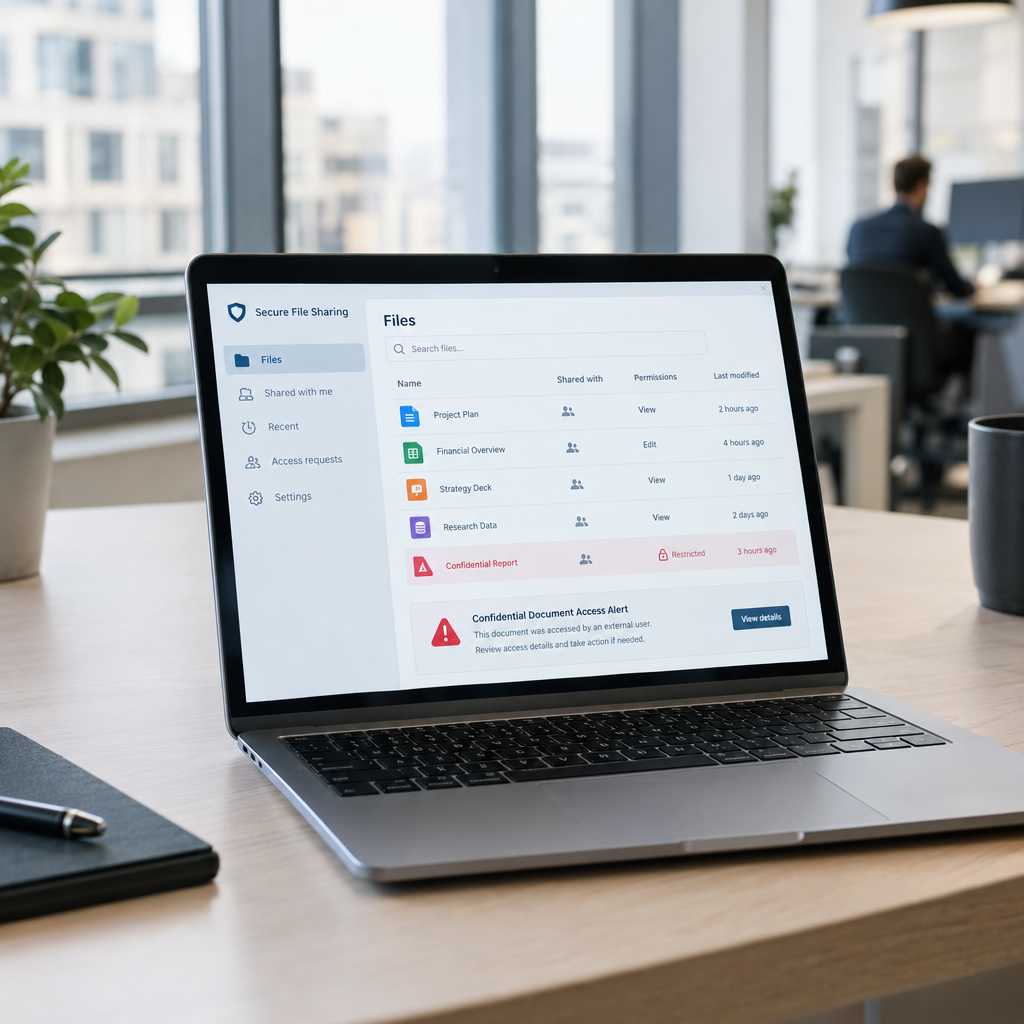
Access controls work best when they are paired with useful activity logs. Businesses should be able to investigate who accessed important files, when they did so and whether data was downloaded, shared or changed. Monitoring should be proportionate and transparent, with clear policies that respect employee privacy and local employment rules.
We can build or improve dashboards and alerts that help teams spot unusual patterns without drowning them in notifications. For example, a business might flag a large download outside normal working hours for review. The goal is not to assume wrongdoing; it is to make investigation faster and more informed.
4. Control file sharing and device use
Cloud storage makes collaboration easier, but unmanaged file sharing can create blind spots. Set rules for which services employees may use, who can create public links and how long shared access should last. Keep company files in approved workspaces, and avoid relying on personal accounts for confidential business documents.
For organisations that want greater control over their own infrastructure, open-source options such as Nextcloud can be considered for file sharing and collaboration. We can help assess whether a platform fits the business, configure it securely and integrate it with existing tools. Device policies, encryption and secure backups should be part of the same plan.
5. Build security into everyday processes
Security is more effective when it is part of normal work rather than a document employees only see once. Use clear procedures for handling confidential information, reporting suspicious activity and returning devices when someone leaves. Short, practical training can help staff recognise phishing, risky sharing requests and unexpected recording or photography in sensitive areas.
Automation can make these procedures easier to follow. For example, a custom workflow could create an account checklist when a new employee joins, remind a manager to review access after a role change and record completion of offboarding steps. This saves administrative time while making important tasks less likely to be missed.
6. Prepare for European data protection requirements
Businesses operating in Denmark and across Europe should consider data protection obligations alongside technical security. Under the GDPR, organisations need to handle personal data responsibly and take appropriate measures to protect it. The right steps depend on the type of information, the systems in use and the risks involved, so security and privacy decisions should be reviewed with appropriate professional advice.
Start with a practical review: identify sensitive data, check where it is stored, confirm who can access it and test whether backups can be restored. Then prioritise improvements based on likely impact rather than trying to buy every security tool at once. Good documentation and clear ownership help turn that plan into everyday practice.
Protect sensitive information with a plan that fits your business
Allegations in a high-profile case are a reminder that access, file sharing and internal processes deserve careful attention. No single tool can eliminate every risk, but well-designed permissions, monitoring, training and automation can make information harder to misuse and incidents easier to manage.
At Best Choice, we help businesses assess their workflows and develop practical IT solutions, integrations and automation to improve security. Contact us to discuss how to protect your data while keeping your team productive.